Updating to version 3.5.0.32 only takes a few minutes. Please close any active NeurOptimal® sessions before beginning.
-
Step 1
Launch NeurOptimal®.
-
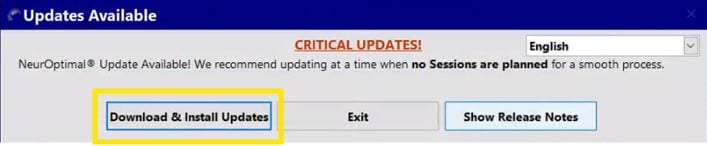
Step 2
Click “Download & Install Updates”.

-
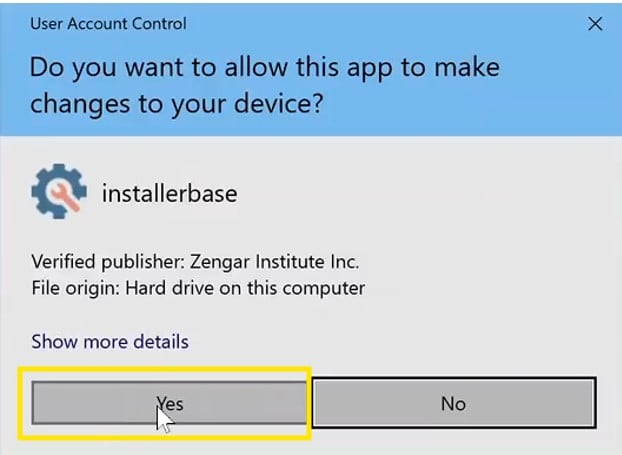
Step 3
Click “Yes” on the User Account Control prompt.
-
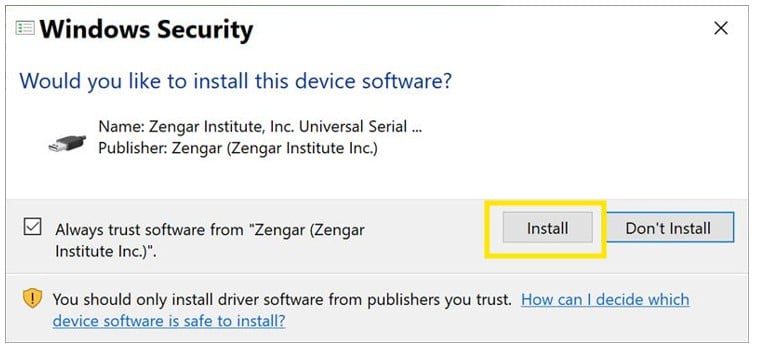
Step 4
Click “Install” on the Windows Security prompt.

-
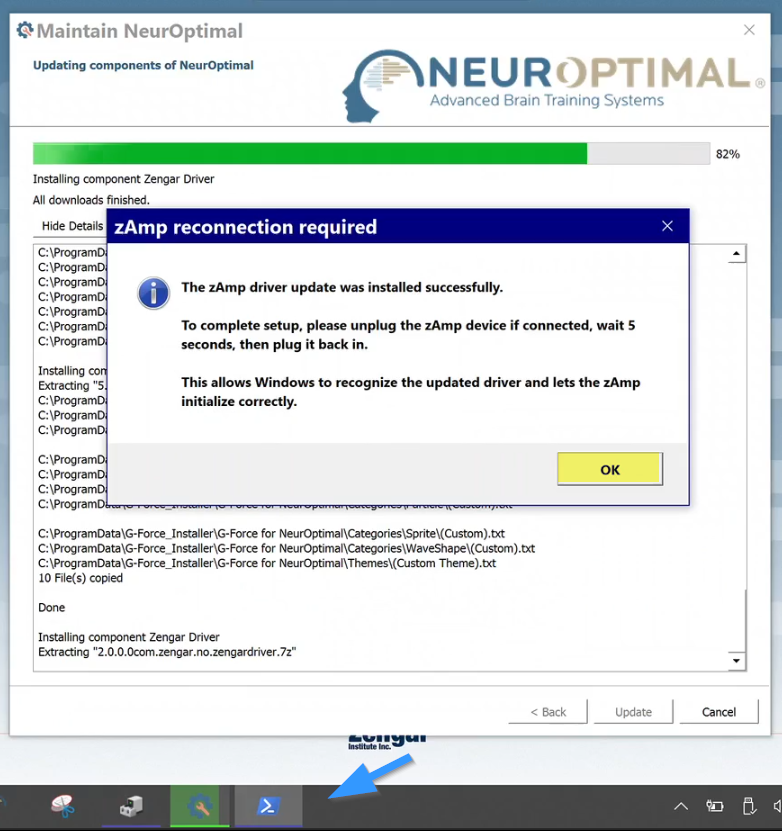
Step 5
When prompted, reconnect your zAmp by following the on-screen instructions. Then click "OK." If the prompt is hidden, click the blue PowerShell icon in your taskbar to bring it forward.

-
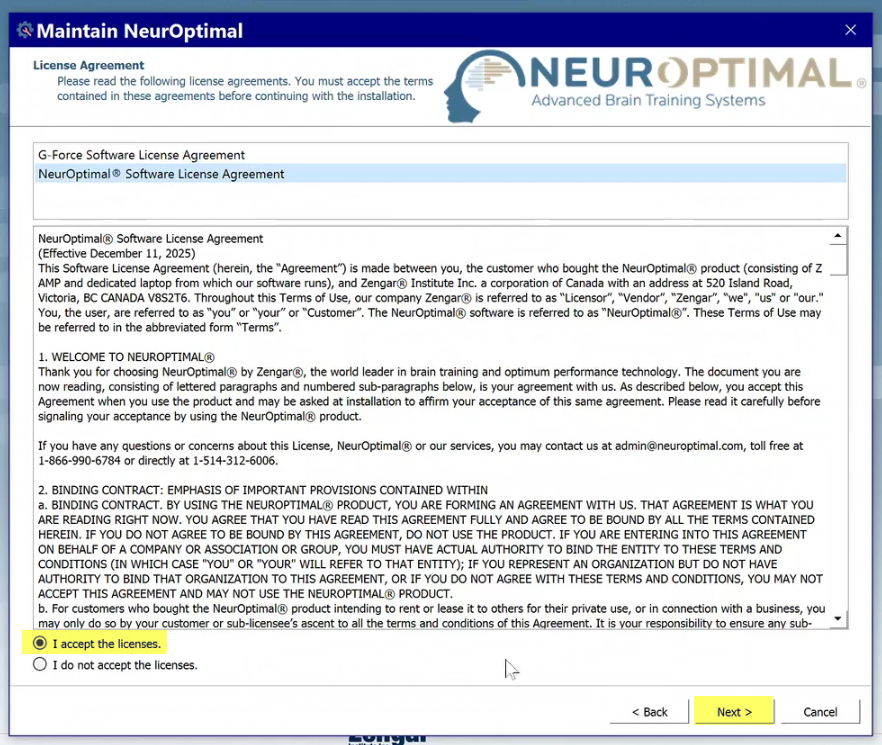
Step 6
Select “I accept the licenses” then click “Next” to finish the installation.

-
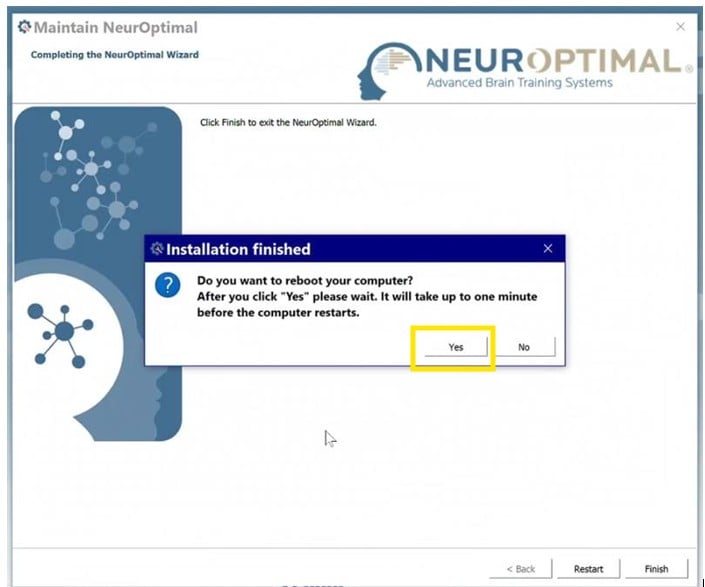
Step 7
Click “Yes” to restart the computer and complete the installation.

That’s it! Your update is complete and NeurOptimal® is ready to use.
Need additional assistance?
- Visit our Technical Support Page
- Contact the Support Team